All your TV. All your media.
Any screen, home or away.
No more apps.
Twelve apps, twelve logins, twelve interfaces, nothing recorded and nothing in one place. Armadillo TV is a Windows television for what your house already has: the subscription you already pay for (new to IPTV? two-minute explainer), your recordings, and the movies, shows, and home video already sitting on your disk. Your own files get the same guide, the same DVR, and the same phone as live TV, on any screen: one or nine at once on the PC, every phone in the house through the hub, cast to the TV when you sit down. Away from home, remote access gives the hub its own address, and nothing passes through Knarrly.
No account. No card. Windows 10 & 11.
Version 0.7.88 · about 140 MB · or see it first ↓

The evening shift, as observed at headquarters.
One installer, everything bundled: player engine, DVR, companion server. Proven parts underneath, libmpv and ffmpeg, the engines behind the players people already trust. Thirty free days, every feature on.
Your IPTV subscription goes in with one login, M3U playlist or Xtream, and the whole lineup lands in the guide. Try it first with the demo channels. Or plug in an HDHomeRun antenna tuner and the over-the-air channels join the same guide. Here's how IPTV works.
Channels, movies, shows, recordings, and your own files in one library. Recordings land as plain files on your disk, in a folder you picked. No cloud, no account. Your library outlives the app, and that is the point.
Subscription vocabulary unfamiliar? We wrote IPTV, explained calmly: the whole racket in plain English.
Bring what you have. It all becomes a channel.
We supply no content. You bring the source, and whatever you bring gets the same guide, the same DVR, the same phone. Three doors in.
Any IPTV service, in with one login: an M3U playlist or an Xtream account. Live channels, movies, and series land in the guide, and the connection limit you pay for is budgeted, never exceeded. Not signed up yet? Try it with the demo channels.
Plug in an HDHomeRun and over-the-air channels sit in the same guide and the same DVR as the rest, with listings read straight from the broadcast. No account needed.
Movies on a drive, home video, downloads, or a stream URL or YouTube link you paste in. They open in a tile like any channel and join one library with everything else. Add a file on the PC and it is on every phone in the house too, ready to cast to the TV, with resume that follows you from screen to screen.
The actual set.
Real screenshots of the real app, using a demo library of public channels and public-domain films. No mock-ups, no marketing renders.
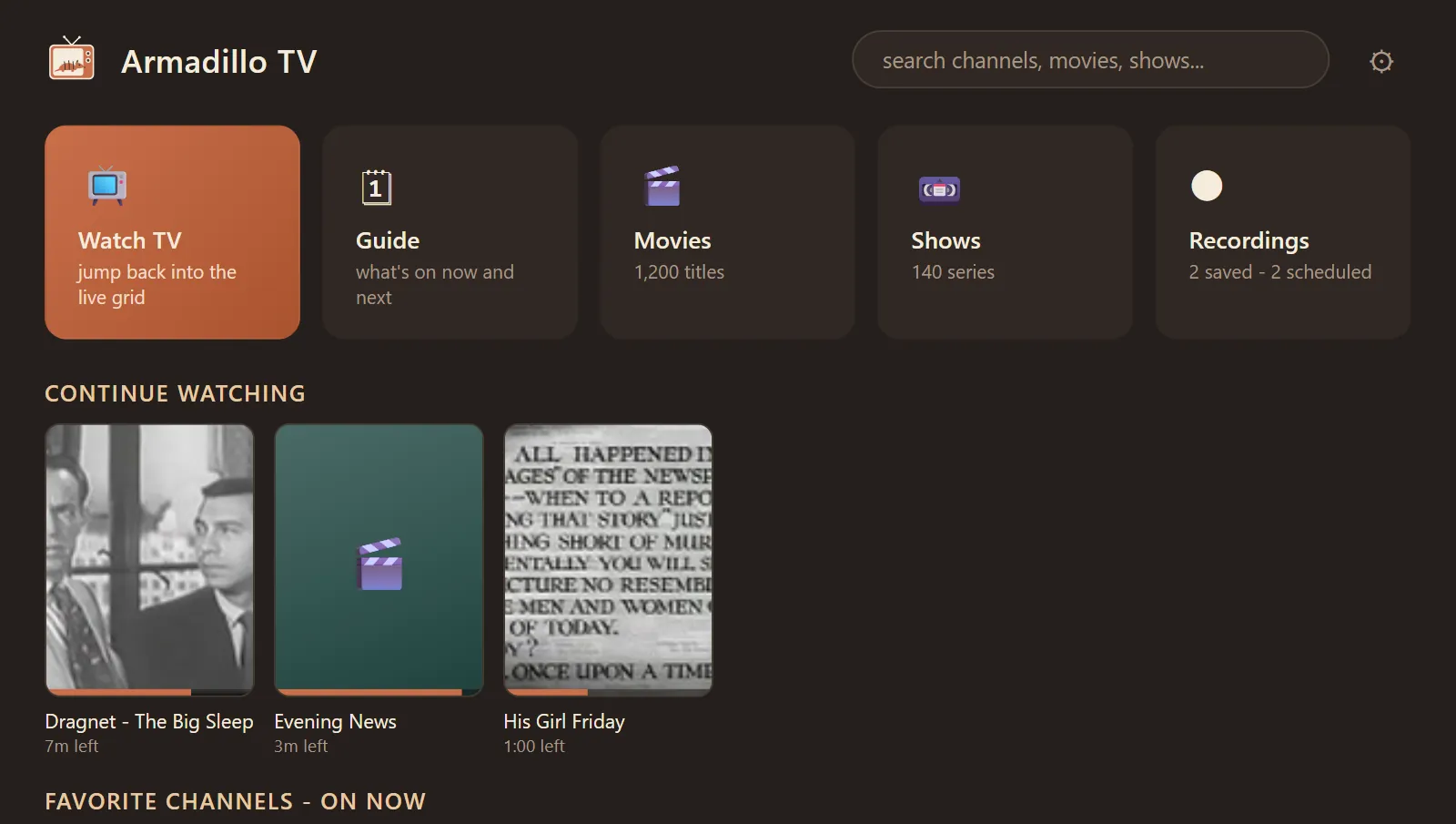
Home. Pick up where you left off (a show, the news, a movie) or head for the guide.
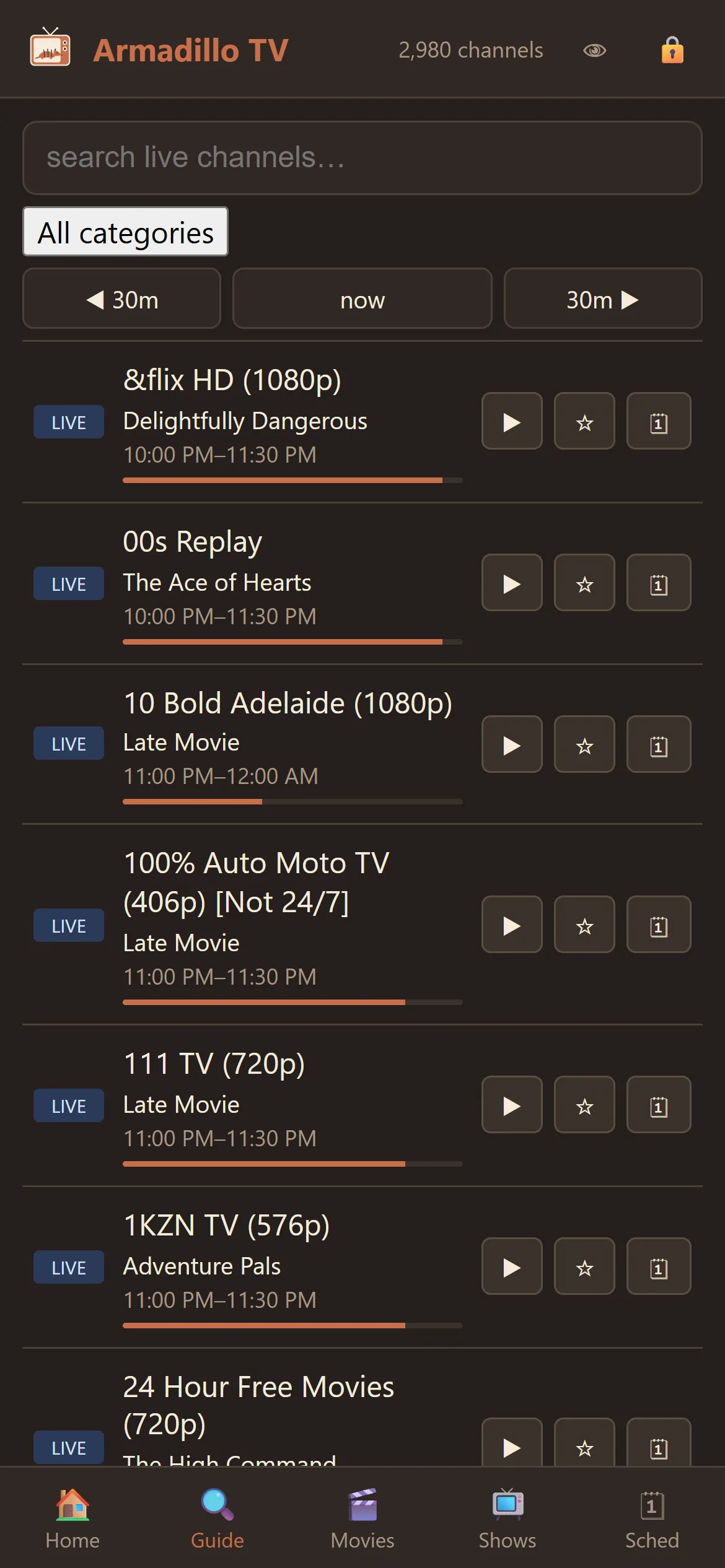
The guide on your phone: what's on, how far in, one tap to record.
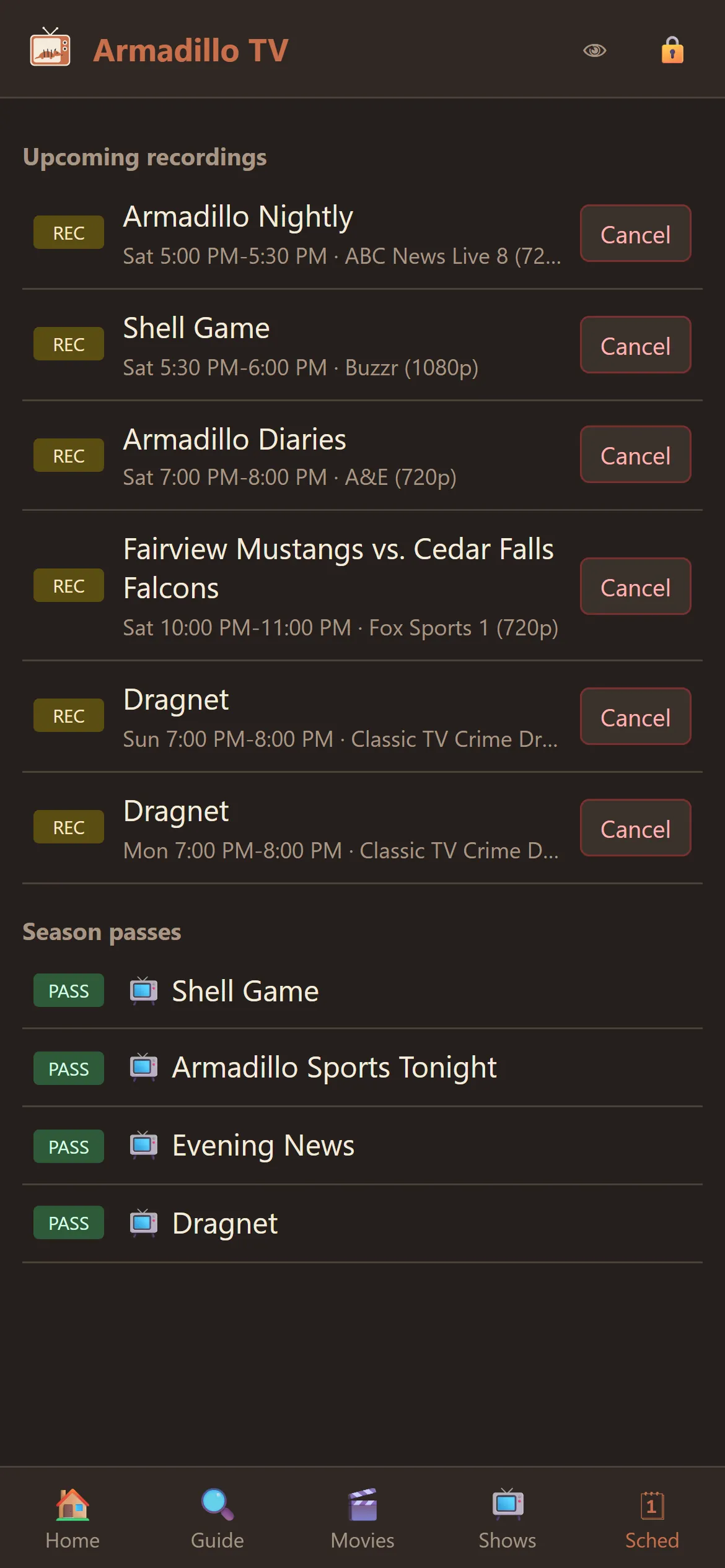
Season passes and upcoming recordings, from anywhere.
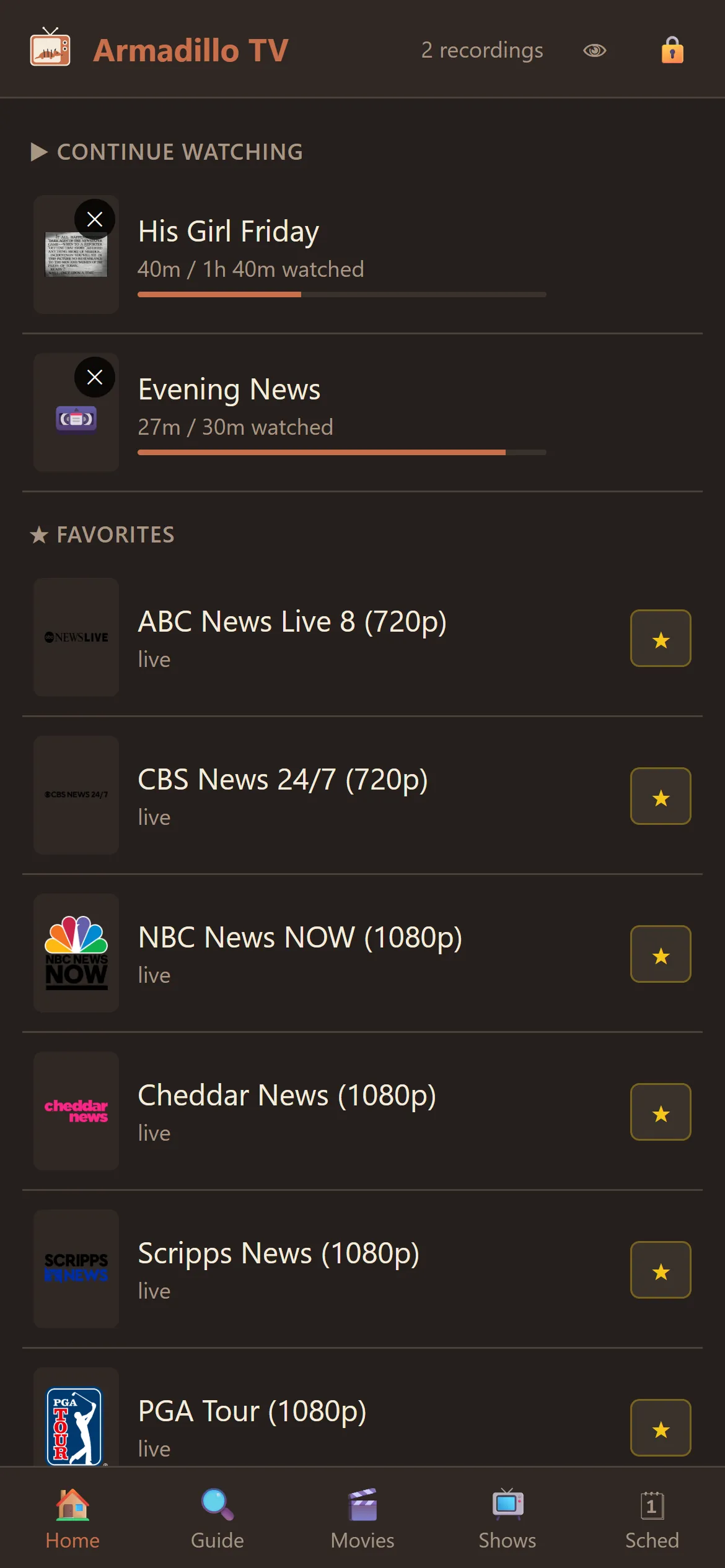
News, sports, and shows you starred, with where you left off on top.
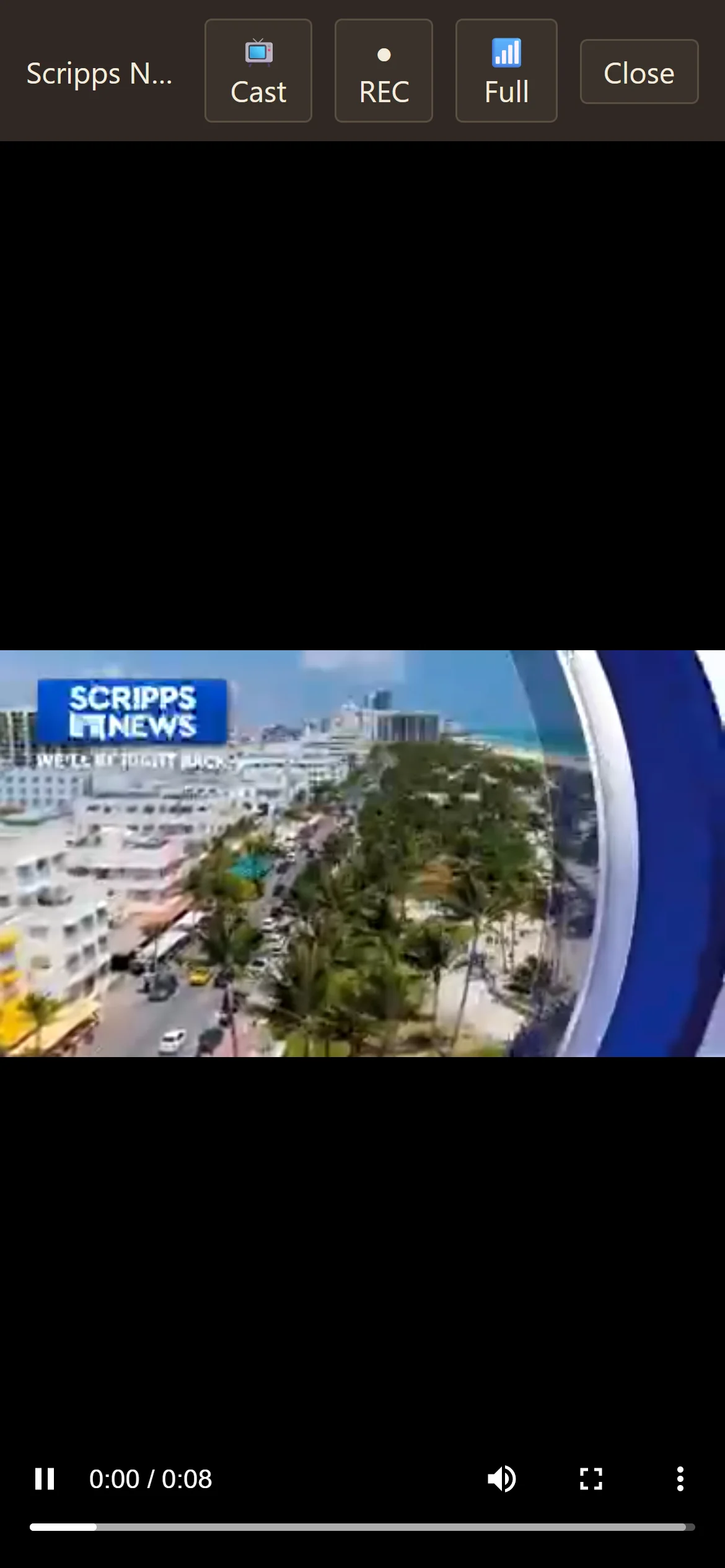
Live in the browser. Cast it to the TV when you get there.
Tonight's lineup
Every show is included with the set. No channel packages, no upsells, no reruns of features you already paid for.
Watch one thing full-screen, the way you normally would. Or add a second screen for the other game, a third for the news, and keep going up to nine on one monitor, as many as your plan allows. Click a tile and it gets the sound.
A real program guide with days of listings, categories, and search that actually finds things. Scroll back in time, too. It opens right beside whatever's already playing. The stream keeps running while you browse, and a click on a programme swaps it in.
Record straight from the guide. Season passes follow a show across channels, and conflict warnings arrive before the conflict does. Every recording lands as a plain file on your disk, still there long after any app or service has gone.
Pause and rewind live TV on the local buffer. No provider timeshift required, and catch-up reaches further back where your provider offers it.
Your provider's movies and series with posters, cast, and details. Stop halfway through; it remembers where you were.
Switch audio languages and captions per stream. If a title ships without any, OpenSubtitles lookup fills the gap.
Not everything comes from a provider. Paste a stream link, a YouTube URL, or open a video file from your own drive. It plays in a tile like any channel, right alongside the rest.
One screen, or a wall of them.
Watch one thing, or up to nine things at the same time. Most evenings one is plenty. On a big Sunday the grid holds as many live streams as your provider's connection limit allows, up to nine, and never more. Every tile has its own close button, and a small speaker badge shows which one has the sound.

Ask your armadillo about season passes.
Set it once; it follows the show across channels and cleans up after itself.
New to IPTV entirely?
Playlists, guide data, the legal part: our field guide explains the whole racket in plain English, no purchase necessary.
Updates itself.
Armadillo TV checks for updates and installs them without being asked. Every installer is signed by Knarrly LLC and verified before it runs, automatic by default or one click if you'd rather drive.

Field testing, allegedly.
One PC does the work. Every screen gets the show.
Armadillo TV runs a private companion server on your home network. Open it in any phone or tablet browser in the house and the whole set is there: live channels, the guide, the recordings, movies and shows, and the files on your own disk. Nothing to install, nothing in an app store, password-protected out of the box.
One household, one guide, one library, however many people are watching. A file you add on the PC plays on every phone and casts to the TV, exactly like a channel. Schedule a recording from the couch. Start a movie on the PC and finish it in bed; resume syncs both ways. Download a recording for the road. Weak signal? Drop the stream to 720p or 480p and it keeps playing on one bar.
Flip on remote access in Settings and the hub gets its own address with a real certificate, plus a short link like armadillotv.com/go/abc12 to share with the household. Nothing passes through Knarrly's servers: video goes straight from your PC to your phone. (Homes behind carrier-grade NAT can still use Tailscale.)
- Live TV
- Guide
- DVR
- Catch-up
- Resume
- Cast
- Downloads
- Data saver
- Home-screen app
Compare the sets.
Three ways people watch IPTV on a computer, one honest spec sheet.
| Feature | Armadillo TV | The typical IPTV app | The big media center |
|---|---|---|---|
| A real DVR | Built in: season passes, conflict warnings, cleanup | Rarely more than catch-up | Possible, after plugin roulette |
| Screens at once | One, or up to nine at once (as many as your plan allows) | One | One |
| Pause & rewind live | Local buffer, works with any provider | Only if your provider offers timeshift | Sometimes, with tinkering |
| The guide | Days deep, searchable, scrolls back in time | Thin, and often missing | As good as your XML wrangling |
| On your phone | Built-in web companion, nothing to install | A separate app, usually with ads | Third-party remote apps |
| Provider connection limits | Budgeted, never exceeds your plan | Cheerfully burns your slots | Not its department |
| Staying up to date | Updates itself, signed and verified, no fuss | Manual, if it's offered at all | One plugin at a time, forever |
| Your data | No account, no telemetry | Account, ads, analytics | Varies by plugin |
Spec sheet compiled by the armadillo, who is admittedly not neutral, but was raised honest.
Why shell out for more?
Armadillo TV is free during the Pioneer period. Give us an email address and your Pioneer key is on its way within a minute. Every feature is included, and the app renews the key by itself. You already pay for the channels.
Free
- Every feature included
- Emailed to you within a minute
- Renews itself, 90 days at a time
A new install runs for a few days before it needs the key. Pricing and tiers will be decided later, and pioneers will hear first.
Armor-plated, factually.
No account. No telemetry. No analytics. Armadillo TV collects nothing about you, and there is no server of ours for your viewing habits to reach.
Provider credentials are encrypted with Windows DPAPI and stay on your machine. The phone companion streams through your PC, so they never travel. Your recordings and files stay on your disk as plain files. The complete list of network calls: your provider, and a read-only version check.
There's nothing to snoop, because we're not watching back.
Security posture: literal.
Fine print, large type
What is IPTV, anyway?
Television delivered over your internet connection instead of an antenna, cable line, or satellite dish. A provider carries the channels; software like Armadillo TV turns them back into television. We wrote a plain-English field guide: IPTV, explained calmly.
Does Armadillo TV come with channels?
No. Armadillo TV is a player: it supplies no content, and neither sells nor recommends any. You bring the source. Usually that is an IPTV service, and any provider that gives you an M3U playlist or an Xtream login will work. There are demo channels in the box so you can try it on day one.
Will it work with my antenna?
Yes. Add your HDHomeRun and its over-the-air channels sit in the same guide, the same DVR, and the same phone view as everything else, with listings read straight from the broadcast, no account needed (Schedules Direct is next). The other sources are an IPTV service, a link, or your own files.
Can I watch away from home?
Yes: flip on remote access in Settings and the hub gets its own address with a real certificate, plus a short link like armadillotv.com/go/abc12 to share with the household. Nothing passes through Knarrly's servers: video goes straight from your PC to your phone. Homes behind carrier-grade NAT can still use Tailscale, free for personal use, on the PC and phone. Casting to a TV always uses your home network, so that part stays at home.
What does it cost?
Armadillo TV is free during the Pioneer period, with every feature included. You get a Pioneer key by giving an email address; it is emailed to you within a minute, and the app renews it by itself (keys are valid 90 days at a time). A new install runs for a few days before it needs the key. Pricing and tiers will be decided later, and pioneers will hear first.
Can it play things that aren't from my provider?
Yes. Pick Add a screen → From a link or file and paste any stream URL, a YouTube link, or a video file from your drive. It gets a tile like any channel, and it doesn't count against your provider's connection limit.
Windows warned me about the installer.
Installers are code-signed by Knarrly LLC, but SmartScreen can stay cautious about new publishers until download reputation builds. If it warns, click More info, then Run anyway. The installer is published only through our GitHub releases, and upgrades keep all your data and recordings.
How do updates work?
Armadillo TV updates itself. Every update is code-signed by Knarrly LLC and cryptographically verified before it installs. Updates apply automatically by default; if you'd rather drive, switch to manual in Settings.
What do I need?
Windows 10 or 11, 64-bit. The installer bundles everything else, including the player engine and the companion server. The uninstaller removes it cleanly and leaves your recordings where you can find them.